A old client call me today. My app was raising the following error:
> Database 'msdb' cannot be opened. It has been marked SUSPECT by recovery.
The recommended way to recover from this is to restore a backup. Of course, we
didn’t have a backup.
Another way is to put the database in EMERGENCY and SINGLE USER and run DBCC,
but something was very wrong with this database as I couldn’t move it from
SUSPECT.
I finally managed to fix it by grabbing a copy of the msdblog and msdbdata
files from another system and overwrite them on the customer computer.
You’ll need to stop de SQL Server service first. It worked just fine. I could
make a backup of the important databases in this instance and move from there.
Might not be the right way to solve this problem, but it save the day.
I’m pleased to announce that dbdesc 4.1 is ready. This version adds support for
SQL Server 2014 databases and it also includes fixes for minor bugs detected.
This version requires .NET 4.0. I’ve begun to receive complaints of customers
not having .NET 2.0 installed in their new computers, which makes sense. I’ve also
seen that .NET 4.0 is almost everywhere now.
Please check out this new version and let me know if you find any problem.
I’ve tried to install SQL Server Express 2012 on a virtual machine to perform some tests and I received the following error:
//setup fails with: ‘.’, hexadecimal value 0x00, is an invalid character. Line 1, position 367455//
This VM had SQL Server 2012 RC0 installed so I thought that maybe that was the problem. I tried to uninstalled it but the same
error was thrown.
After investigating the issue in the internets, the problem is that there’s some kind of incompatibility with MSDE
(Microsfot Desktop Engine aka SQL 2000 Express). So in order to install SQL Server 2012 you have to remove any MSDE instance.
There are tons of applications still out there that use MSDE, so if you find this error check that you don’t have a
hidden instance of MSDE.
This new version comes with two major features and several bug fixes. The most obvious feature is that dbdesc supports Oracle databases now. However it is still in beta. I don’t usually work with Oracle so, even though I’ve tested it against every Oracle database I’ve found, it might still have some bugs. If you find one, please send me an email and I’ll try to fix it as soon as possible.
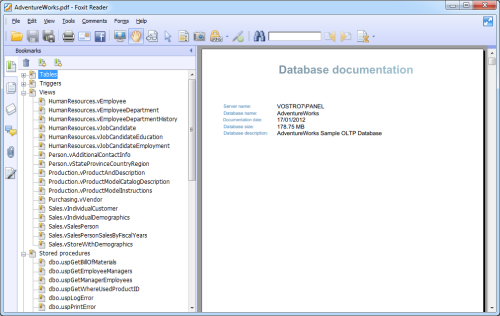
This version also improves the PDF output. It finally has working links and a PDF index (bookmarks) so now is very easy to navigate the PDF documentation. It also fixes the ‘OutOfMemory’ bug when generating very large documents 3000+ pages.
I really hope you like this version. As always, I look forward to your comments about this version and what you’d like to see in future versions.
Just a quick note to inform you that I’ve released a new version of dtsdoc. This is a small maintenance release.
A dtsdoc user reported that some properties of the transform data task were missing in the documentation. Now they are included. It also fixes a couple of minor bugs.
I’m glad to announce that next version of dbdesc is almost ready and it includes support for Oracle databases. Although I still have to finish some areas, the core functionality is already there. So if you want to try it out, please download it and let me know what you think, does it work with your databases? are you missing any information? I’d really appreciate any feedback you could provide. Please send your comments to support@dbdesc.com.
I’ve had some email problems lately (thanks Alan for the heads up). I retrieve my emails with Gmail for both dbdesc and dtsdoc email addresses. However a couple of mailboxes have been piling up email until they finally stop working. Somehow the accounts got misconfigured.
I’ve already fixed the problem and I’m reviewing the emails. Please accept my apologies if you contacted me and I didn’t answer. You’ll be hearing from me soon.
I’ve just published a new version of dbdesc. This is a minor release that fixes several errors reported and it also improves some areas. For example now it’s possible to specify the port when connecting to a MySQL database. Access 2007 support has received some care too.
Please go to the download page to get the new version. The installer will automatically upgrade any previous version installed.
As always, this is a free update for registered customers.
Last week a customer of one of my applications (not dbdesc nor dtsdoc), reported the following error when the app performed a special task:
1
Login failed for user 'sa'
This app installs its own SQL Server instance with SQL Server authentication and it manages the users including the sa account. There’s no way to change the ‘sa’ password from the application, so probably someone might have been playing with my instance.
I logged in to this server and connect to SQL Server using the osql tool using windows authentication:
1
osql -E -S .\MYAPP
I then reset the sa password back to the original one:
1
sp_password NULL, 'mypassword', 'sa'
Unfortunately, this didn’t solve the problem. So the ‘sa’ password was intact after all.
Next thing I checked was that mixed-mode authentication was indeed enabled. It was unlikely that someone had changed this but.
No luck, still can’t log in using the sa user.
Here I started to be worried about this issue. I checked the system logs, nothing special there. Some errors reporting that ‘sa’ was unable to connect to SQL Server and nothing else. I also checked the SQL Server errorlog file. Everything seemed normal.
I have to say that this company has no IT department per se, but a guy who regularly helps them with their domain, active directory, etc. This guy was on vacation and unreachable.
I had no other option that to ask my customer if they had made any changes to their server, hoping to get some clue about what was going on. And he confessed. They were making changes tothe Windows security policy editor adding and removing permissions a few days ago. He didn’t know exactly what they did, only that they “touch” different things (ouch!!).
Anyway, not my problem. Fortunately this gave me the clue I was looking for. The ‘sa’ user was being affected by a Windows policy setting. So I fixed it using this code:
After carefully considering all the options and talking to our customers, partners, and MVPs it was decided to deprecate OracleClient as a part of our ADO.NET roadmap.
I kind of understand this decision, they want to improve ADO.NET but don’t want to invest resources supporting other competing database systems. However, I think this is very inconvenient for .NET developers in general. This will force us to research which vendor has the appropriate library and pay for it. And of course, take another external dependency.